| # Skia Gold Client |
| |
| This package interacts with [Skia Gold][] for uploading and comparing |
| screenshots. |
| |
| [skia gold]: https://skia.org/docs/dev/testing/skiagold/ |
| |
| The web UI for the engine is located at <https://flutter-engine-gold.skia.org/>. |
| |
| ## Usage |
| |
| In the simplest case, import the package and establish a working directory: |
| |
| ```dart |
| import 'dart:io' as io; |
| |
| import 'package:skia_gold_client/skia_gold_client.dart'; |
| |
| void main() async { |
| // Create a temporary working directory. |
| final io.Directory tmpDirectory = io.Directory.systemTemp.createTempSync('skia_gold_wd'); |
| try { |
| final SkiaGoldClient client = SkiaGoldClient(tmpDirectory); |
| await client.auth(); |
| // ... |
| } finally { |
| tmpDirectory.deleteSync(recursive: true); |
| } |
| } |
| ``` |
| |
| Once you have an authorized instance, use `addImg` to upload a screenshot: |
| |
| ```dart |
| await client.addImg( |
| 'my-screenshot', |
| io.File('path/to/screenshot.png'), |
| screenshotSize: 400, // i.e. a 20x20 image |
| ); |
| ``` |
| |
| ## Configuring CI |
| |
| Currently[^1], the client is only available on Flutter Engine's CI platform, and |
| will fail to authenticate if run elsewhere. |
| |
| To use the client in CI, you'll need to make two changes: |
| |
| [^1]: |
| The `flutter/flutter` repository has a workaround which downloads digests |
| and does basic local image comparison, but because we have forked the |
| client and not kept it up-to-date, we cannot use that workaround. Send |
| a PR or file an issue if you'd like to see this fixed! |
| |
| 1. **Add a dependency on `goldctl`** |
| |
| In your task's configuration in [`.ci.yaml`](../../.ci.yaml) file, add a |
| dependency on `goldctl`: |
| |
| ```diff |
| # This is just an example. |
| targets: |
| - name: Linux linux_android_emulator_tests |
| properties: |
| config_name: linux_android_emulator |
| + dependencies: >- |
| + [ |
| + {"dependency": "goldctl", "version": "git_revision:720a542f6fe4f92922c3b8f0fdcc4d2ac6bb83cd"} |
| + ] |
| ``` |
| |
| 2. **Ensure the builder (i.e. `config_name: {name}`) also has a dependency** |
| |
| For example, for `linux_android_emulator`, modify |
| [`ci/builders/linux_android_emulator.json`](../../ci/builders/linux_android_emulator.json): |
| |
| ```json |
| "dependencies": [ |
| { |
| "dependency": "goldctl", |
| "version": "git_revision:720a542f6fe4f92922c3b8f0fdcc4d2ac6bb83cd" |
| } |
| ] |
| ``` |
| |
| ## Release Testing |
| |
| > [!NOTE] |
| > This workflow is a work in progress. Contact @matanlurey for more information. |
| |
| When we create a release branch (i.e. for a beta or stable release), all |
| golden-file tests will have to be regenerated for the new release. This is |
| because it's possible that the rendering of the engine has changed in a way |
| that affects the golden files (either due to a bug, or intentionally) as we |
| apply cherry-picks and other changes to the release branch. |
| |
| Fortunately this process is easy and mostly automated. Here's how it works: |
| |
| 1. Create your release branch, e.g. `flutter-3.21-candidate.1`. |
| 1. Edit [`.engine-release.verison`](../../.engine-release.version) to the new |
| release version (e.g. `3.21`). |
| 1. Run all the tests, generating new golden files. |
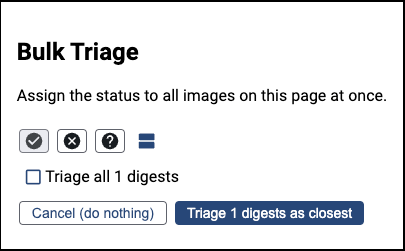
| 1. Bulk triage all of the images as positive using the web UI. |
| |
|  |
| |
| All of the tests will have a unique `_Release_{major}}_{minor}` suffix, so you |
| can easily filter them in the web UI and they can diverge from the `main` branch |
| as needed. As cherry-picks are applied to the release branch, the tests should |
| continue to pass, and the golden files should either _not_ change, or change in |
| a way that is expected (i.e. fixing a bug). |
